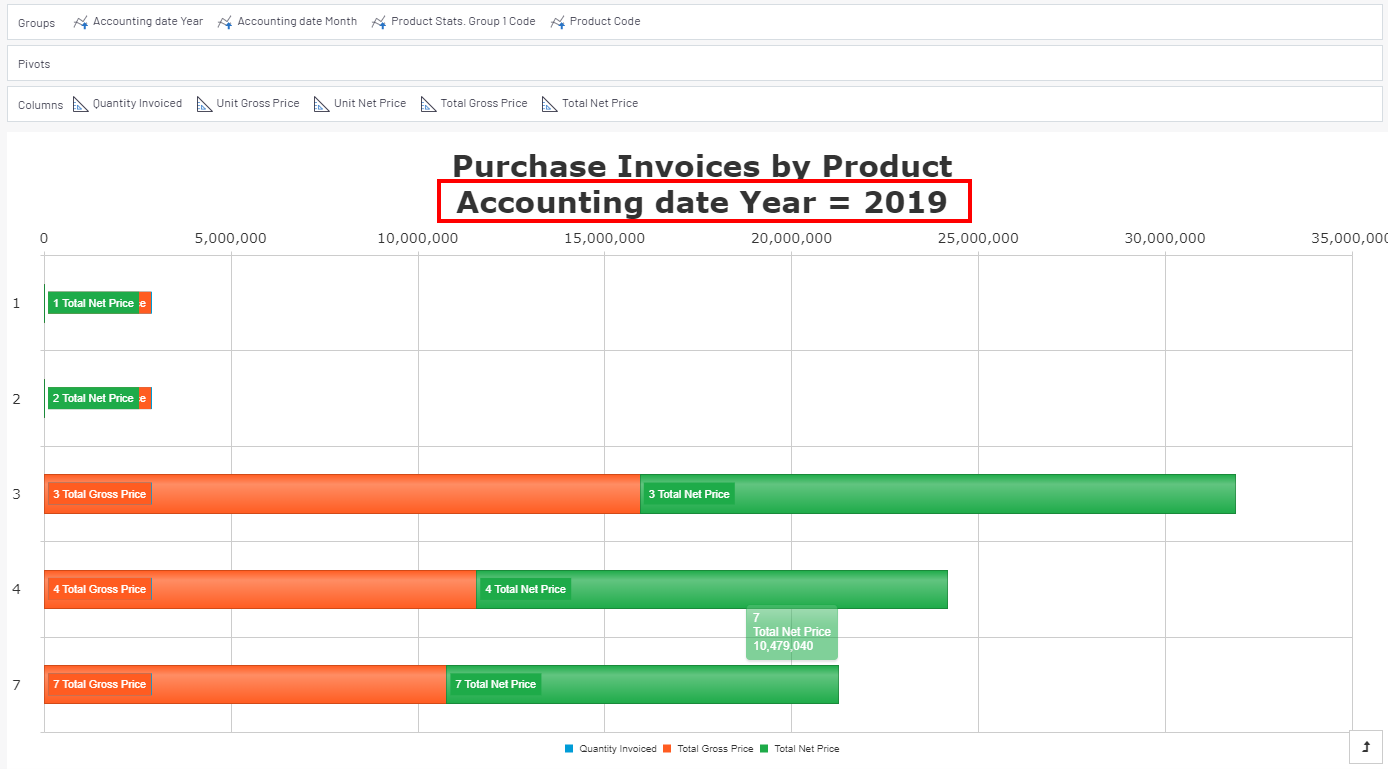
Expanding / Drilling Down
When data is grouped by one or more Fields, users have the ability to expand/drill down (show) or collapse/drill up (hide) the grouped data.
- Select a row or click on a chart area then click on the Expand/Drill down option.
Example
In a Worksheet, it looks like this, with the choice to expand this line or all the group levels:
 Tip
TipYou can also use the
 /
/  located to the left of the summary line to expand or collapse.Example
In a Chart or Dashboard, it looks like this:



In the following example, the user grouped the information by Year: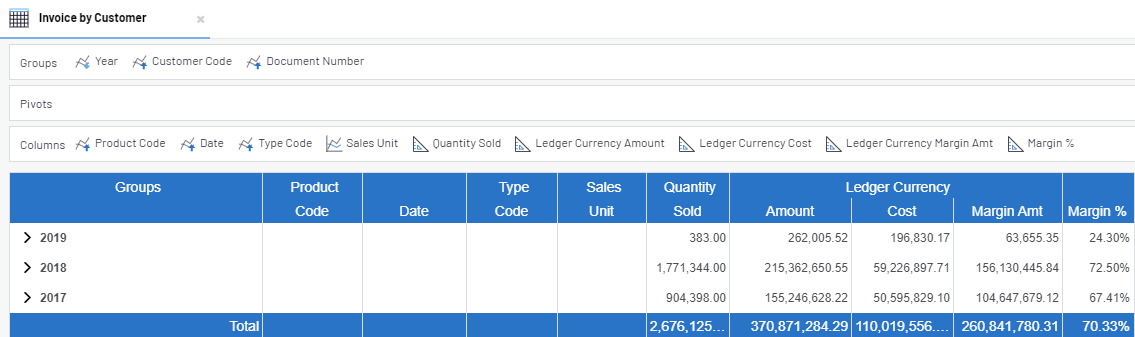
To view the detailed information for a specific customer click on the next to the Customers
Code. All the data for that customer will now be visible.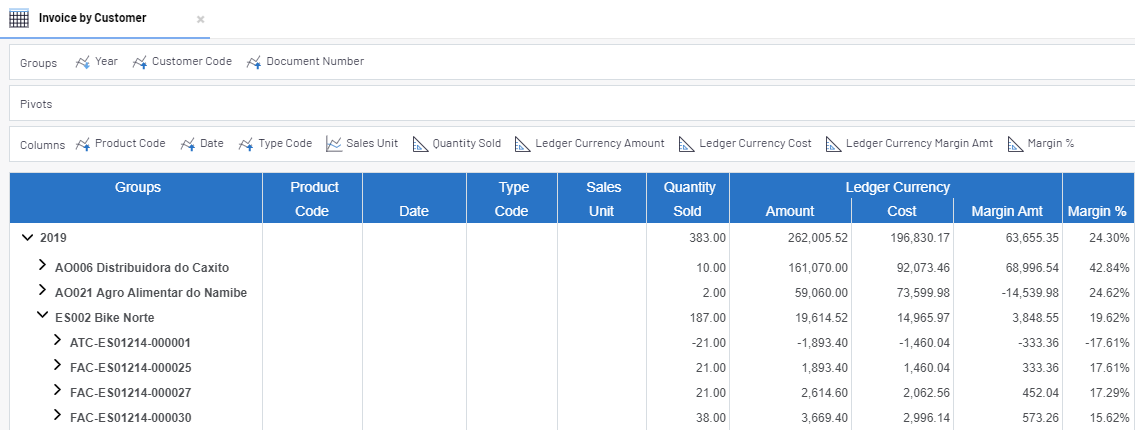
In a chart, the drill down information is displayed, if the properties allow it, and the arrows allow a
change to the chart within the group level.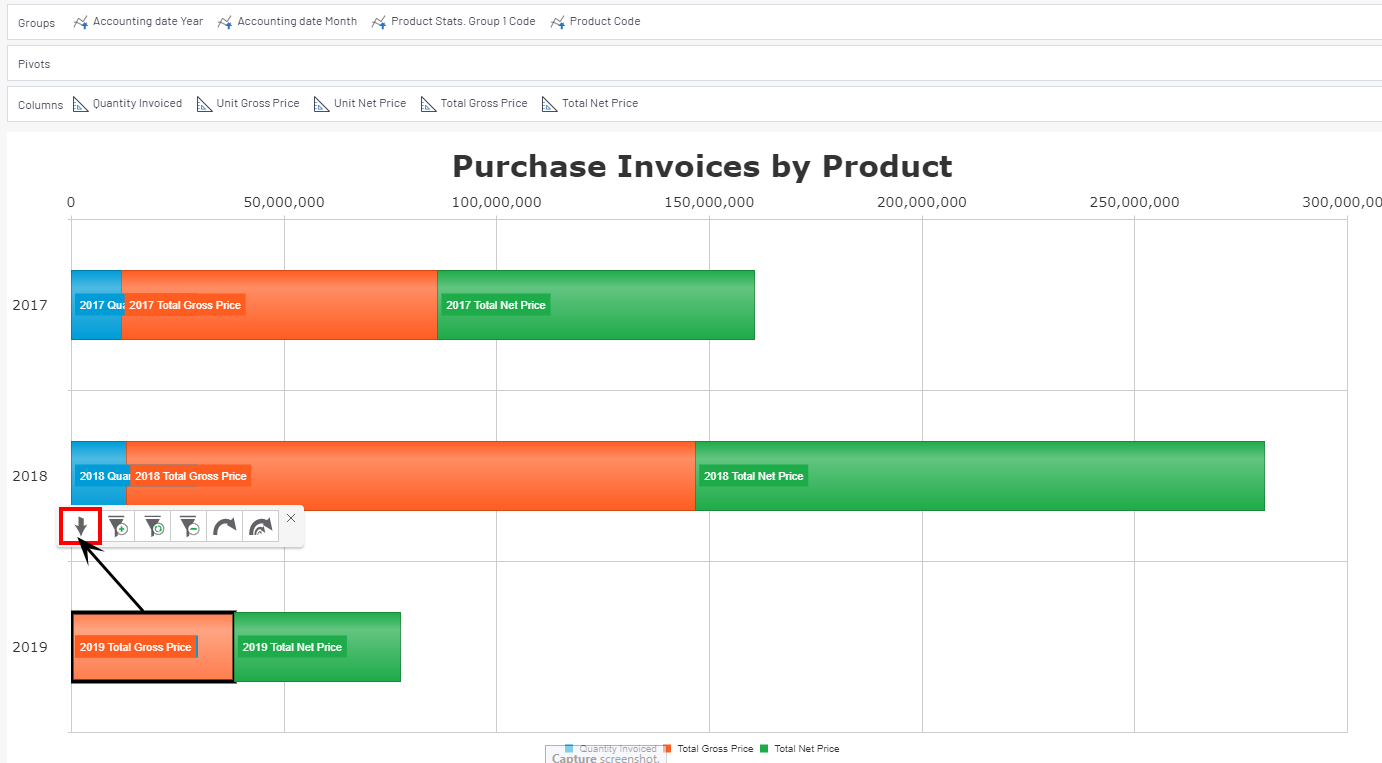
Once expanded: